Low-Calorie Starbucks Drinks: What to Order
Compare seven low-calorie Starbucks drinks from 5 to 140 calories, with exact Grande orders, a visual menu and tips for milk, syrup and cold foam.
Read the guide →Most trackers give you a bar that fills as you eat less, so the app is happiest on the day you eat nothing. Burnline shows a reading on a scale instead — and the scale runs past your target into territory you probably didn’t intend.
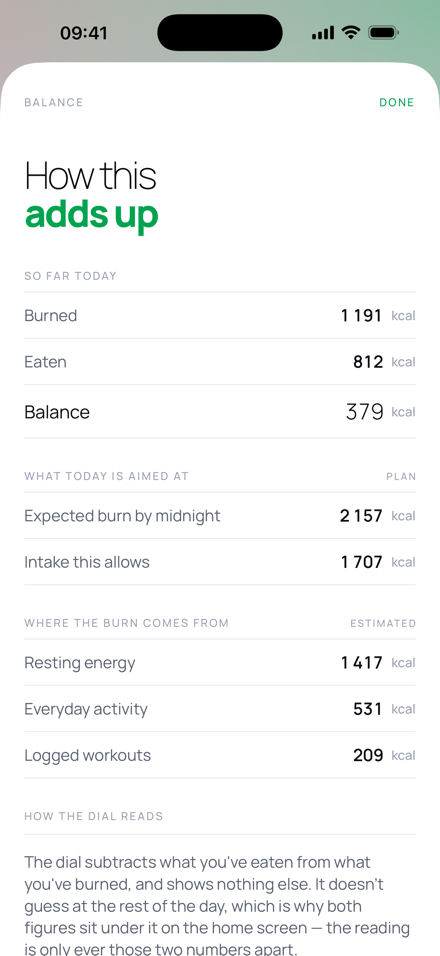
balance = burned so far − eaten so far
Two measured figures and their difference. Both of them sit directly under the reading, so you can check it rather than trust it.
 Free download · iOS 18 and later
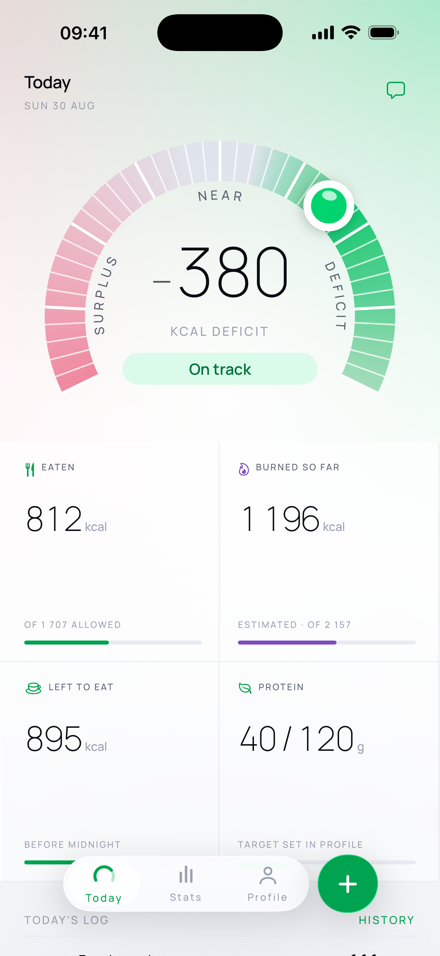
simctl output or a render of the app’s own views.
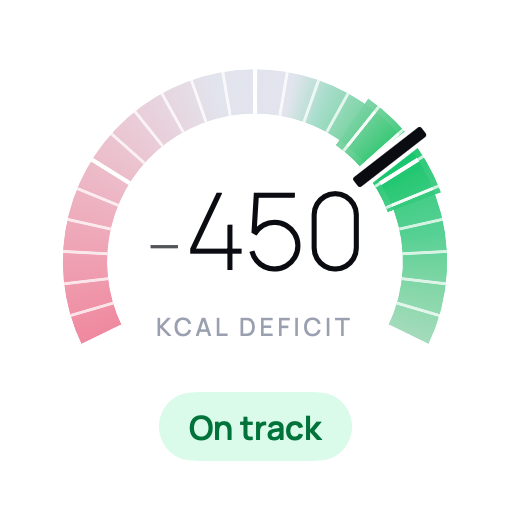
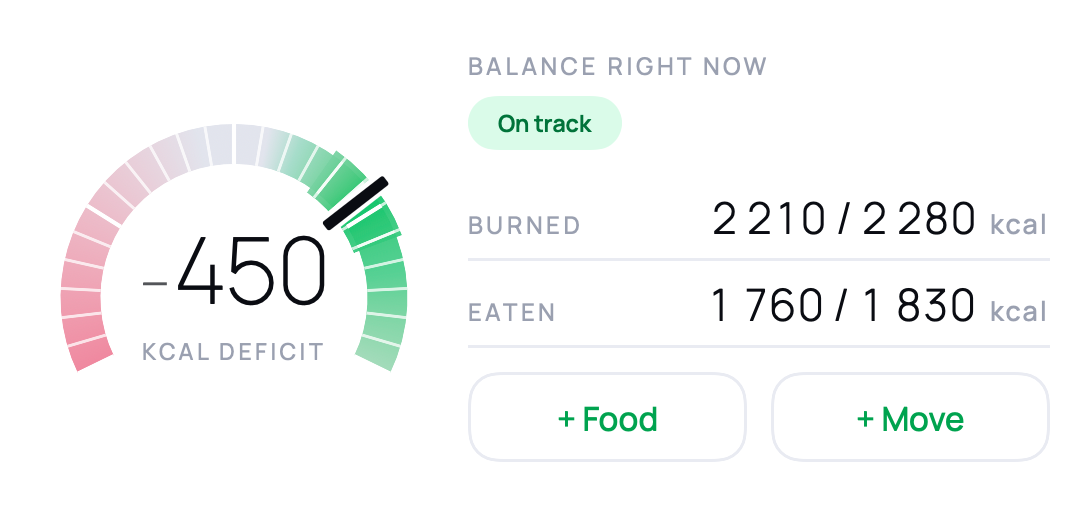
The dial is a diverging scale, not a progress ring. The target is the peak of it, and colour falls away in both directions — so nothing to the right of your target can read as a better result. That is the whole difference between a balance and a score.
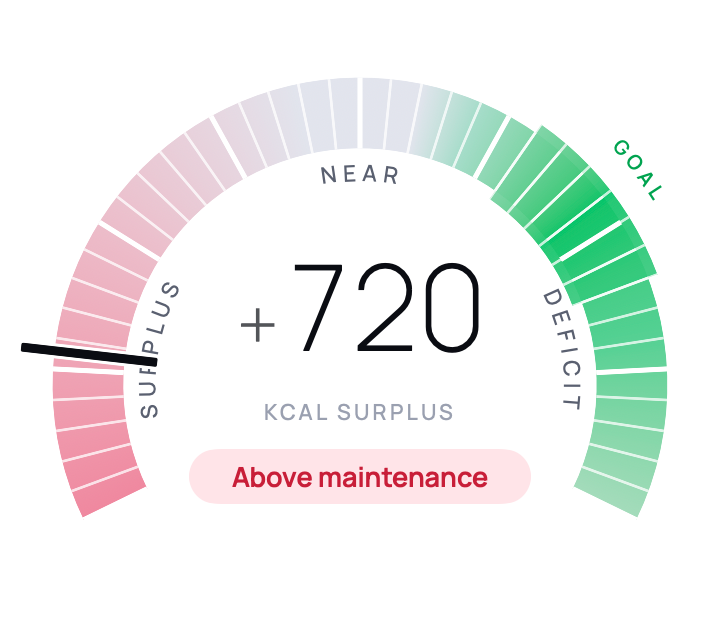
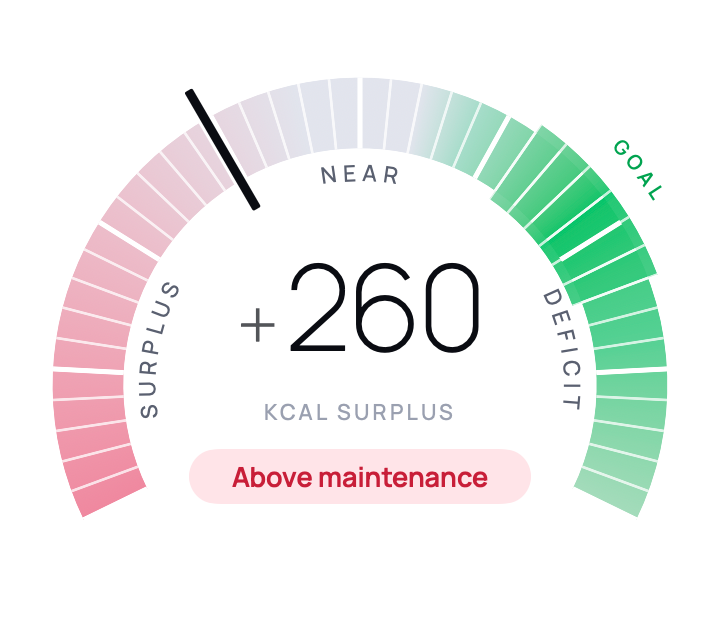
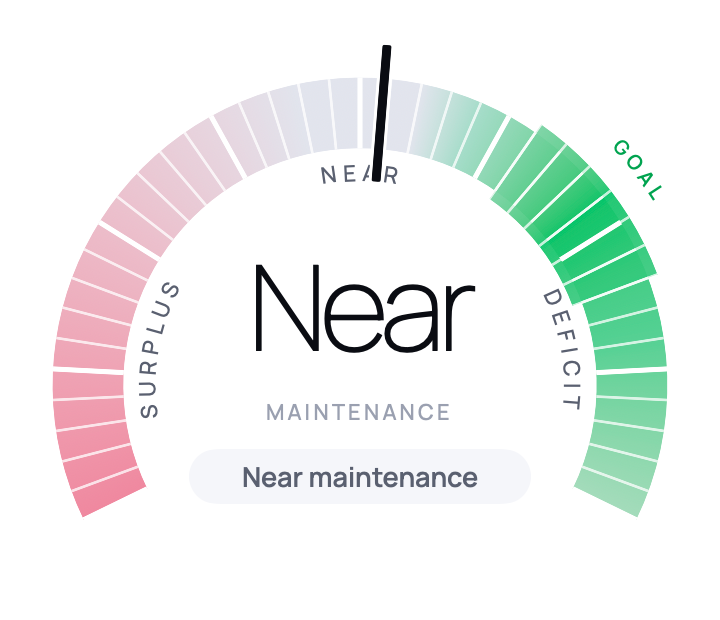
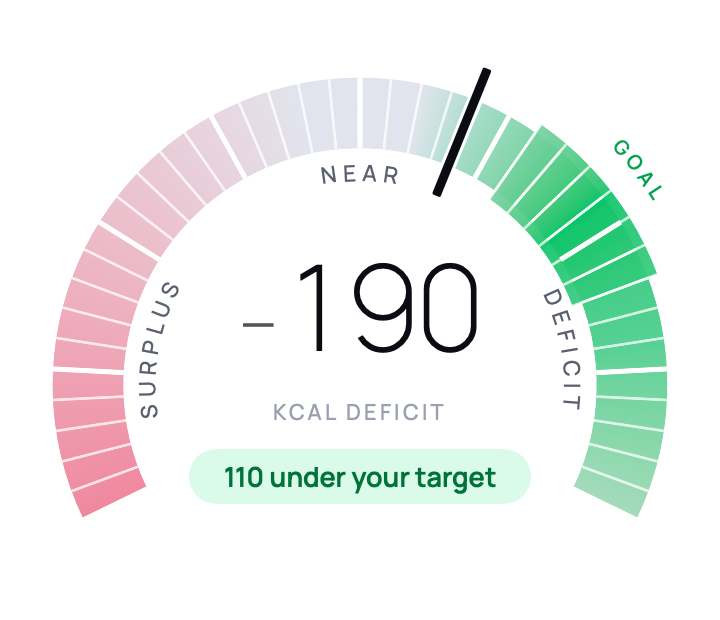
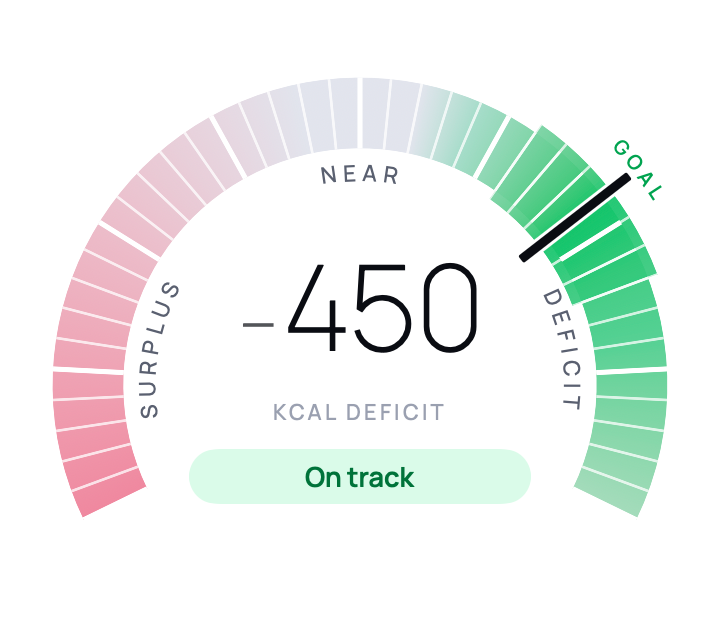
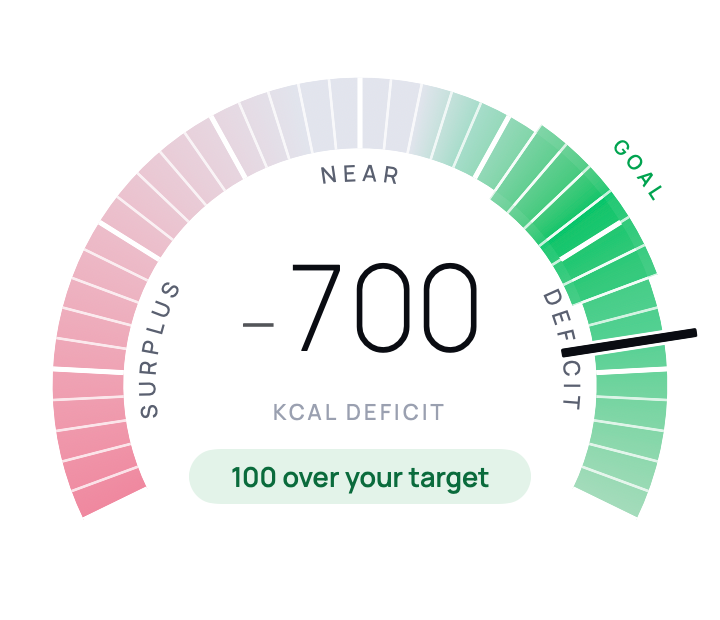
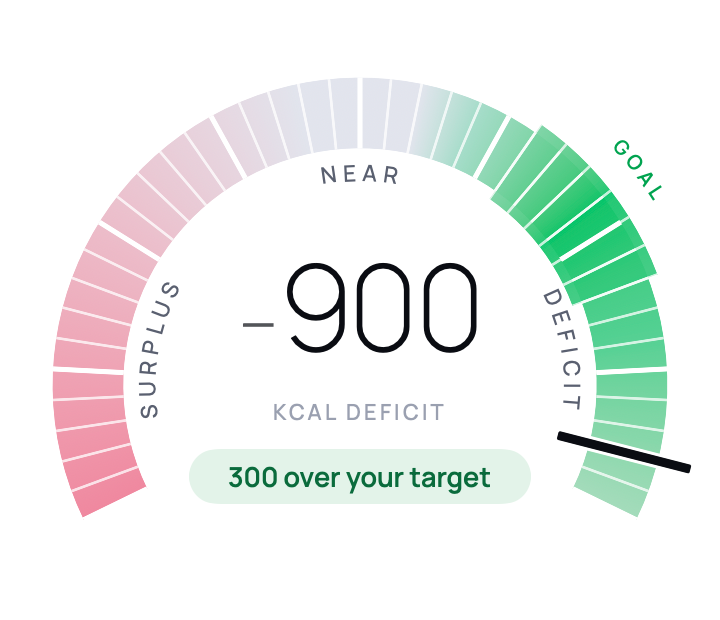
450 kcal deficit — On track. The target band is the destination. Nowhere further right is a better result.
Every frame above is the shipping control, rendered from the app’s own view at seven real readings — not an illustration of it.
Note what happens at each end. A surplus is described as above maintenance and nothing more: eating more than you burned for a day is the most ordinary non-event there is, and the app does not treat it as an error. Push the other way and the colour does not brighten: green is strongest at your target and fades toward a pale mint beyond it, so nothing to the right can read as more of a win. The status line says how far past you are; the scale declines to congratulate you for it.
It runs the other way too. Set a goal of putting weight on and the green moves to the surplus side to meet it. The axis does not flip — which side is a surplus is a fact rather than a preference, and a day in surplus is still described as one. Only the target moves, and the colour with it.
It runs the other way too. Set a goal of putting weight on and the green moves to the surplus side to meet it — the axis does not flip, because which side is a surplus is a fact rather than a preference, and a day in surplus is still described as one. Only the target moves, and the colour with it.
Near maintenance it stops showing a number at all and says Near. A hundred calories either side of zero is noise — it is a band you set in Profile, and the colour widens with it — and printing a figure inside it would be a claim to precision the numbers cannot support.
A number you typed and a number a model guessed are not the same kind of thing, and an app that draws them identically is quietly lying to you. So each entry carries its origin, and the label is on the row.
Logging the same thing again does not promote it. Repeat yesterday’s lunch and the origin is untouched: a rough guess logged a second time is still a rough guess.
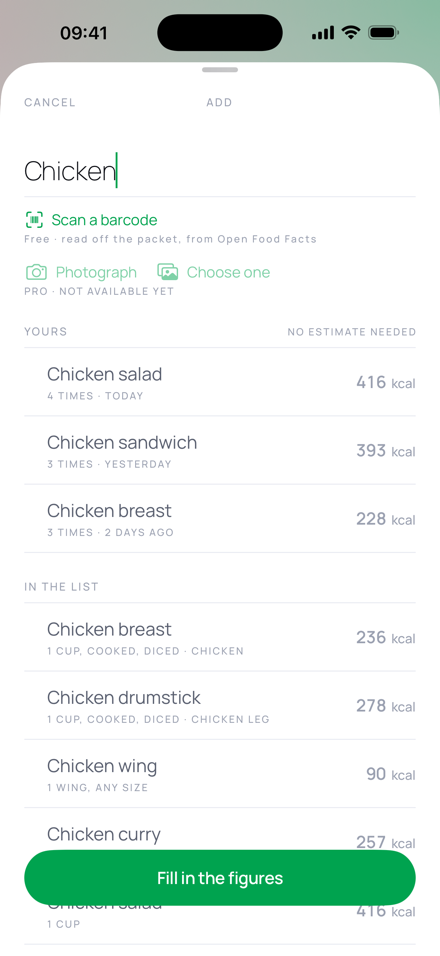
Add opens a text field and starts answering as you type. There used to be a menu asking how you would like to describe the thing before you had described anything — it is gone.
What you log most over the last thirty days, grouped by name. One tap repeats the most recent version.
Entries you have saved, then matching rows from the food list — each with its portion and its figure on the row.
The by-hand form is in the footer the whole time, never behind the paid path. “Burger” is in the list, and yours may still have been a double.
Between the figures and the log there is a block that sometimes has a sentence in it. It reads what you actually ate — the entries, in your own words, with their times and portions — and ties a total back to the things that made it.
Most of today so far is the coffee and the pasta, so protein is the gap — 42 of 130, and one proper meal moves that a long way.
It is absent unless it has something worth saying, and the prompt is allowed to answer with nothing. A dot on an icon is an unread mark, and this app does not nag.
Nothing anyone eats is virtuous. It can notice a fact about your own targets or your own logging; it cannot tell you a thing you ate was a good or bad choice, and there is no wording that unlocks it.
It asks; the app does it and reports back. The “updated” mark is drawn from the call that actually happened, never taken from its prose — something able to report its own success eventually reports one that did not.
Every change it makes has to declare where the number came from — you, or the model — before the app will accept it. That is the same rule as the rest of the app, written as an argument rather than as a hope.
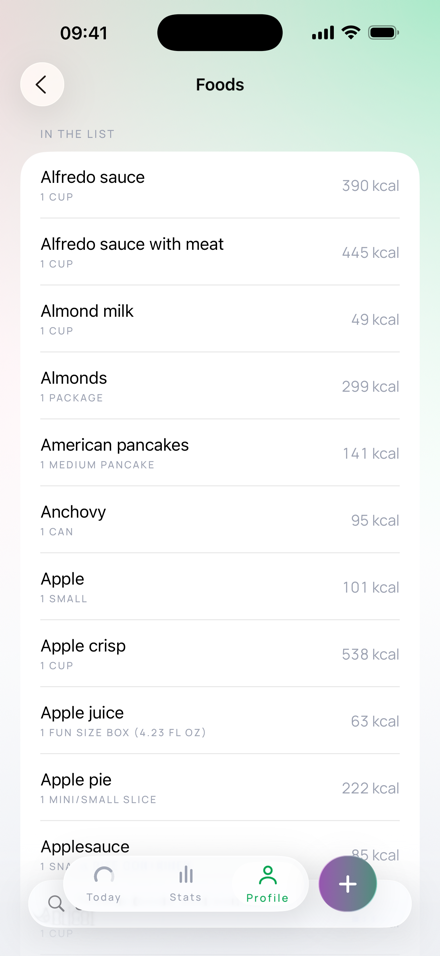
Resolved from the USDA’s FoodData Central survey data — the same reference the national dietary surveys are coded against. Each row keeps the identifier it came from, so any figure in the app can be traced back to the record it was taken from.
A row is priced by a portion a person would actually say — a cup, a wing, a slice — rather than leaving you to convert from a per-100-gram figure at the counter. Which foods are on the list is curated by hand and kept short on purpose: past a few hundred rows the problem stops being capacity and becomes whether the five results you can see are the right five.
The list needs no network and no account. It is on the phone.
The app and the widgets read one record and re-run one engine, so they cannot disagree about today. There is only one implementation of the balance in the whole project.
Small carries the dial, the figure and the verdict. Medium adds burned and eaten against their denominators, and two buttons that open straight into logging.
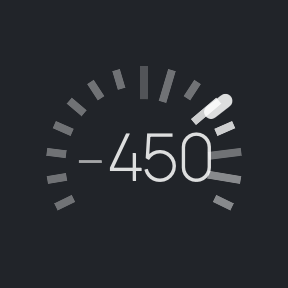
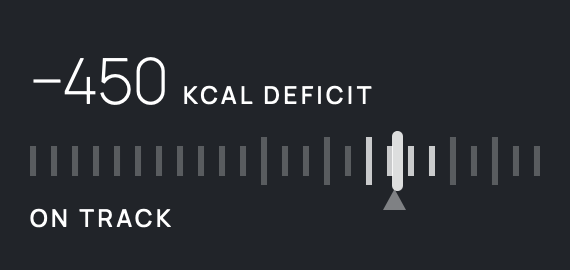
The system strips colour from these entirely. The zones are told apart by tick weight and brightness instead, and the marker protrudes past the scale rather than being a dot that could vanish into it.
The list, the by-hand form, repeats, saved entries, Health import, the widgets, the statistics and the export all run on the phone with nothing signed in and nothing switched on. Scanning a barcode is free as well, and it is the one free thing that has to ask a database — when it cannot be reached, the list and the form are still there.
No account exists to make. Logging by hand or from the list never asks for a network, and the absence of a subscription can never block it.
Point the camera at a plate, or type something the list has never heard of, and a model answers — shown to you for correction before it counts. The same subscription pays for the companion, which reads the day and answers questions about it.
Both send something off the phone, and they do not send the same amount: an estimate carries the photograph or the phrase, the companion carries the day. Written out in full on the privacy page.
There are two tiers and there will not be a third: the free one is a whole app rather than a trial, and the paid one is the part that costs something to run. Burnline Pro is configured at $4.99 a month or $29.99 a year, with a seven-day annual trial for eligible Apple Accounts. Apple shows the local storefront price before purchase. Compare Free and Pro.
A profile, your saved entries, and one file per day. No server holds a copy: there is no account to hold one against, and the server that forwards an estimate keeps none of what passes through it.
One row per entry, with the origin and the source as columns — so the provenance survives leaving the app.
Steps, active energy and workouts are read if you allow it. Nothing is ever written back to Health.
Evidence-led notes about calorie estimates, meal timing and what a daily total can honestly tell you.
Compare seven low-calorie Starbucks drinks from 5 to 140 calories, with exact Grande orders, a visual menu and tips for milk, syrup and cold foam.
Read the guide →Compare protein coffee calories and protein across Super Coffee, Premier Protein and Starbucks, with serving sizes, a nutrition table and a protein-per-calorie chart.
Read the guide →Compare six protein soda brands by calories and protein per can. See an infographic of protein per 100 calories, plus serving sizes, caffeine and dairy notes.
Read the guide →Burnline is available as a free download on the App Store. The daily tracker stays free; Pro covers the AI features that have a continuing cost to run.
Burnline estimates energy balance for general interest. It is not a medical device and does not give medical or nutritional advice. Talk to a professional before making significant changes to how you eat.